← All work

Head of Product Design · Visor / Rocketvisor · 2021–2025

Visor: View Orientation

Role

Head of Product Design (Lead → Principal → Head)

Outcome

4x increase in sign-up conversion and workspace invitations

Problem

Users struggled to understand what they were looking at, slowing onboarding and adoption

Approach

Introduced a persistent orientation layer that evolved into a core part of the product architecture

A pattern in research became a product initiative that reshaped the product.

Visor is a project and roadmap management platform built around syncing with tools like Jira and Asana.

While working across views like Table, Gantt, Board, and Timeline, users would frequently lose track of what they were looking at. Filters, sorting, grouping, and field visibility changed between views, but nothing made that state clear.

This was not a feature request. It was a pattern I saw repeatedly in research.

I turned that pattern into an initiative that ultimately reshaped how the product was structured.

Users struggled to understand what they were looking at.

Users struggled because:

The result was slower onboarding, confusion, and delayed time to value.

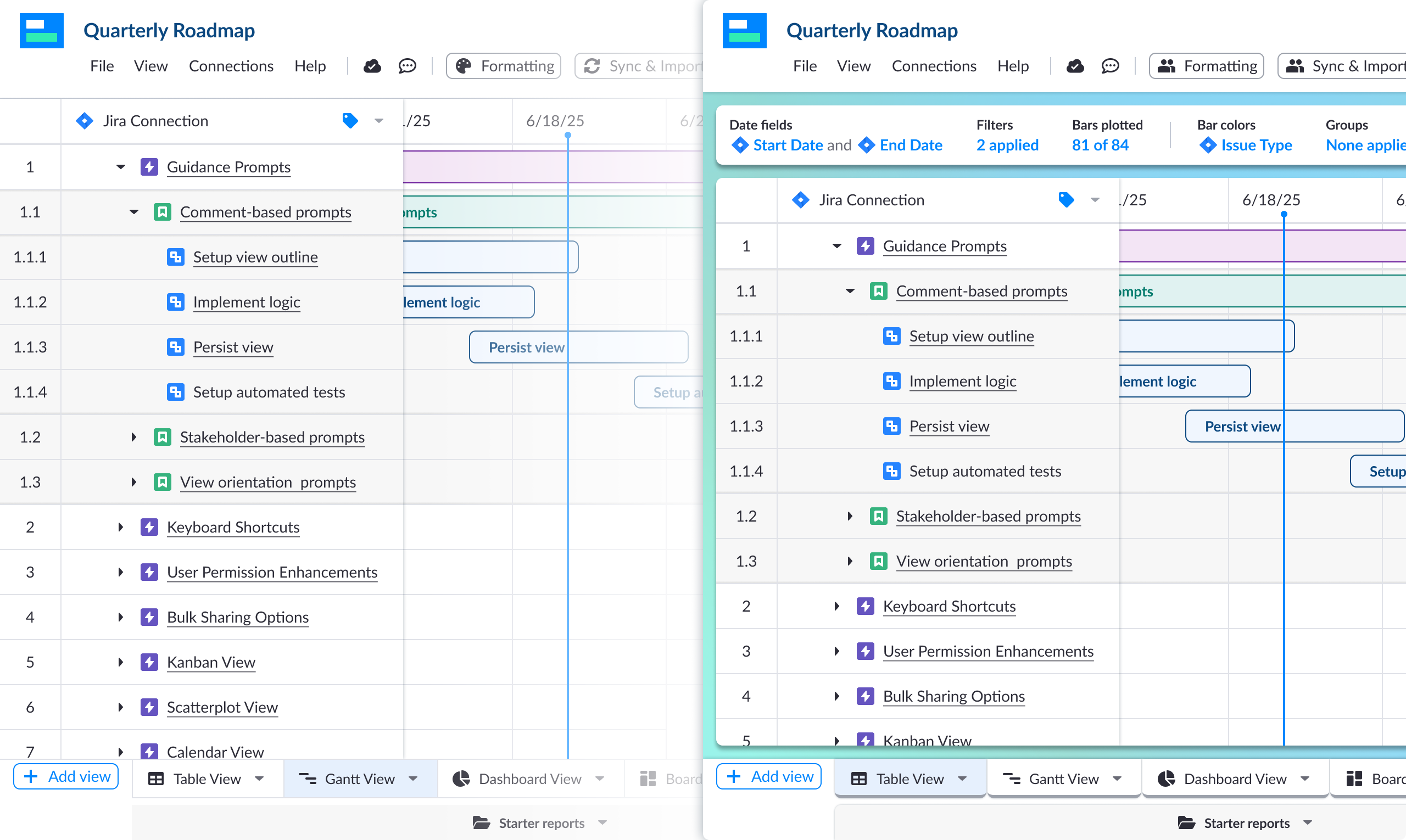
Side-by-side comparison of Visor Gantt view without and with the View Orientation Bar, showing before and after states

Before and after — VOB makes view state immediately visible

The issue was not missing features.

Users did not understand the current state of the product. They could not answer a simple question: what am I looking at right now?

A persistent orientation layer that kept growing.

I introduced the View Orientation Bar, a persistent layer that made the current state of the product visible and actionable.

It started small, then expanded as its value became clear.

Phase 1: Surface state

The first version showed:

A key early insight was that simple summaries like "3 filters applied" were more effective than exposing raw configuration controls.
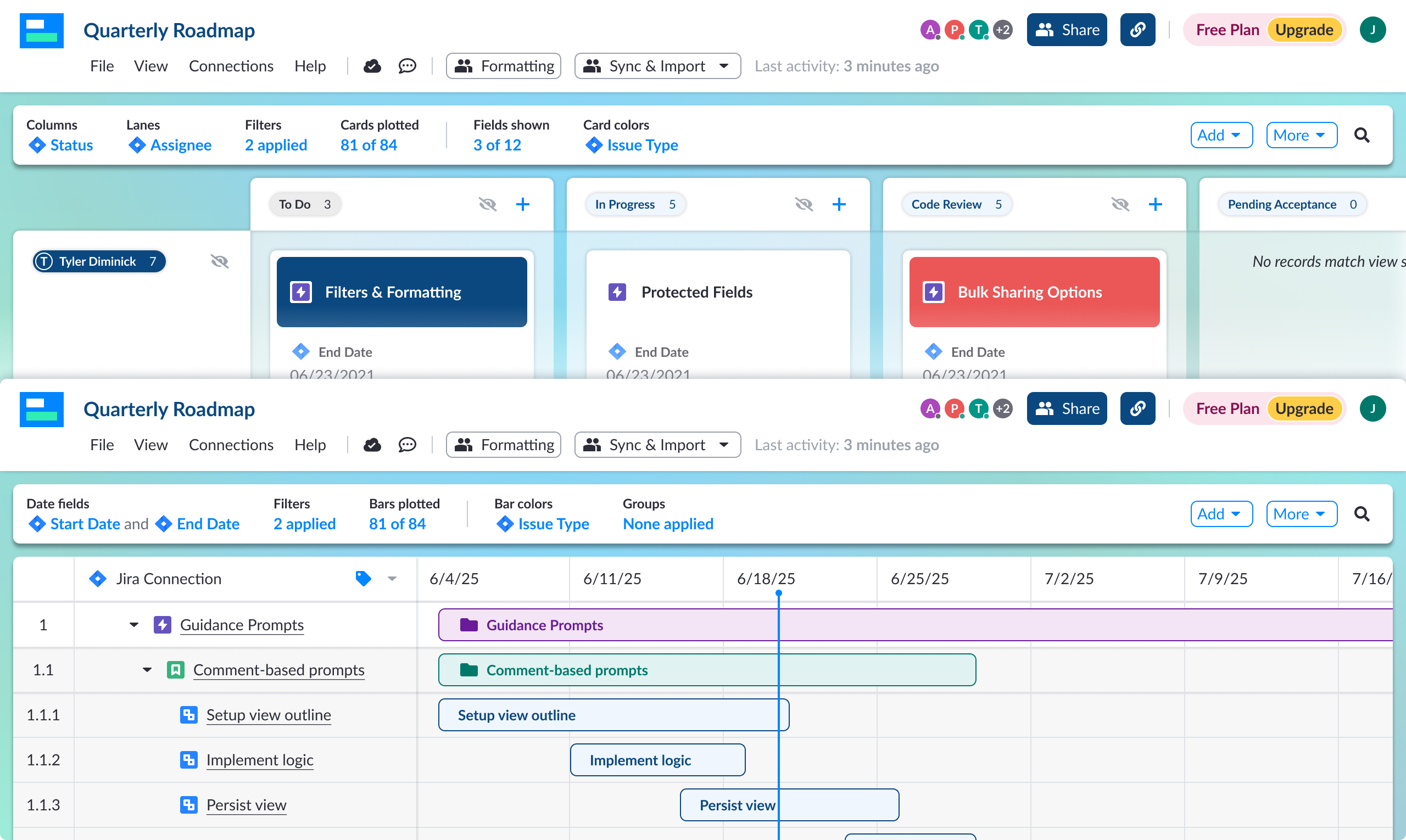
Visor Board and Gantt views showing the View Orientation Bar with active configuration state — columns, filters, bars plotted, bar colors

View Orientation Bar across Board and Gantt — configuration state always visible

Phase 2: Centralize configuration

As the pattern proved useful, it became a control surface:

Phase 3: Become a navigation layer

The orientation bar evolved into a core navigation system:

What started as a status bar became a structural layer in the product.
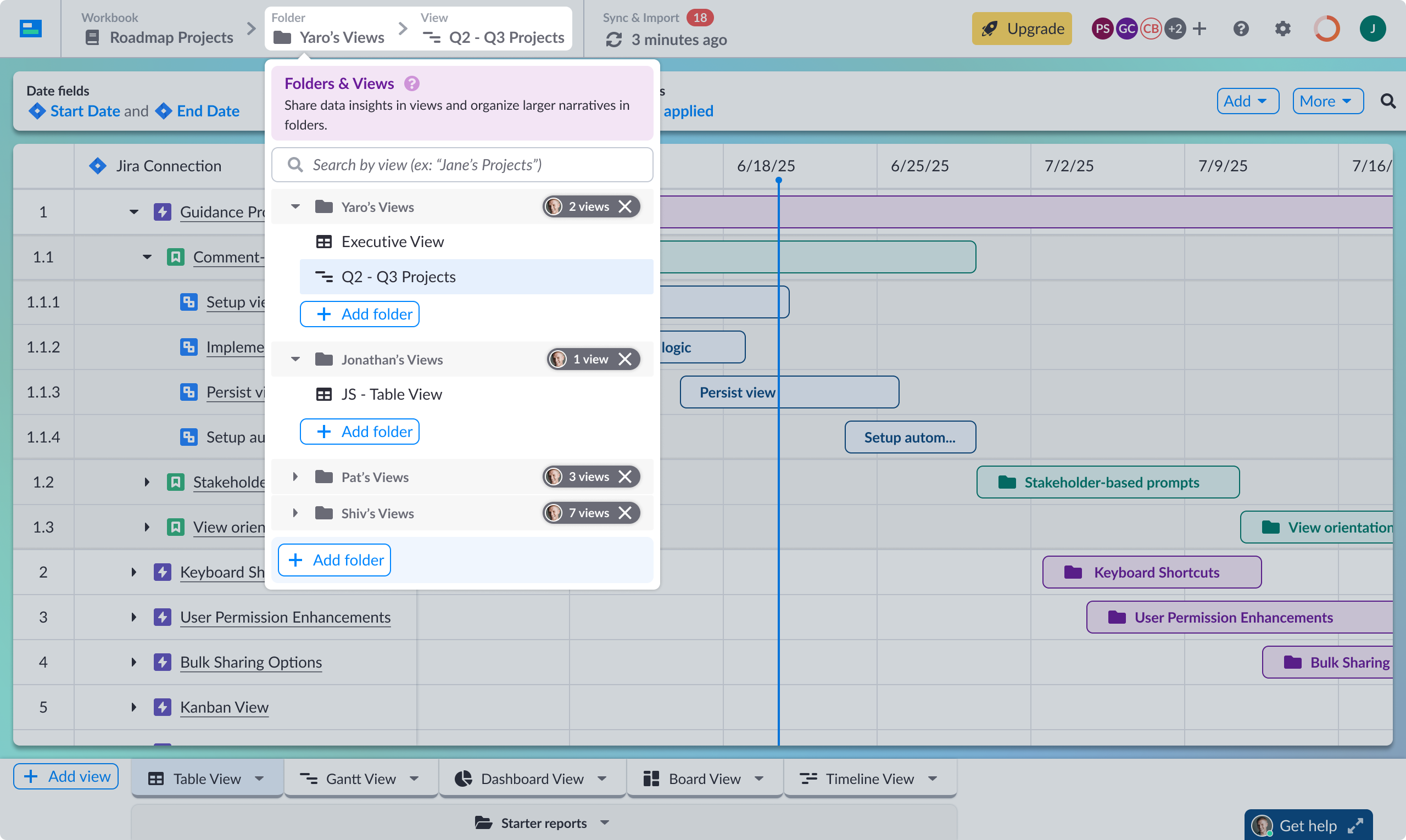
Visor Views and Folders panel open from the orientation bar, showing views organized by collaborator across Yaro's Views, Jonathan's Views, Pat's Views, and Shiv's Views

Views and Folders panel — all views across collaborators, accessible from the bar

What changed

Before

  • No clear entry point
  • Users lost context when switching views
  • Configuration was hidden across menus
  • Slower path to value

After

  • Persistent orientation across all views
  • Clear understanding of current state
  • Centralized configuration
  • Faster onboarding and exploration

One consistent pattern across five view types.

The View Orientation Bar adapted to each view type while maintaining a consistent interaction pattern.

This balance kept the experience consistent while respecting the needs of each view.

Built and scaled the Visor design system from the ground up.

Alongside this work, I built and scaled the Visor design system from near-zero using atomic design principles.

The system supported both Visor and later MCP Manager, allowing the team to move quickly without rebuilding foundations.

A concept from this project shipped in a different product.

A breadcrumb navigation concept explored during this project did not ship in Visor but later became a core pattern in MCP Manager.

This reflects how the work extended beyond a single feature and influenced multiple products.

4x increase in sign-up conversion and workspace invitations.

Beyond metrics, the project changed how the team approached product design.

What started as a small, self-initiated fix became:

Also see

MCP Manager

Designing the governance layer for AI agent access at scale — from zero conventions to acquisition in under a year.

Read MCP Manager case study →